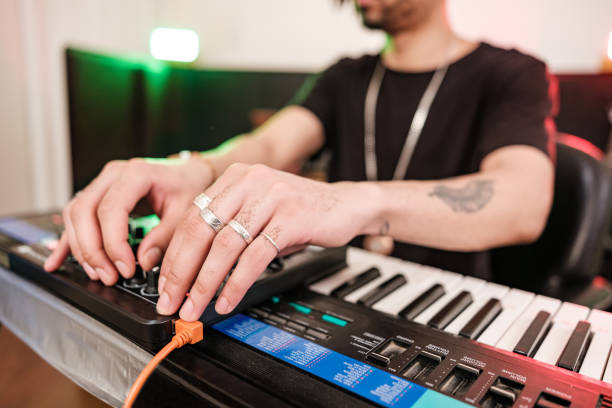

Your production suite can have the glow-up of a TikTok studio and the cozy chaos of a bedroom label, but the piece that quietly runs the whole vibe is the audio interface. It is not the flashiest gear on the desk. It does not have a million RGB modes or a TikTok-ready gimmick. Still, it is the low-key MVP that turns your laptop from a playlist machine into an actual recording and production hub. If your setup feels cooked the second you plug in a synth, mic, or DJ mixer, the interface is usually the plot twist you have been missing.
Think of an audio interface as the translator between the real world and your DAW. Your mic, guitar, synth, turntable, and DJ mixer all speak in analog signals. Your computer speaks in digital. The interface handles the conversion, and it does it way more reliably than the little headphone jack that somehow survived years of backpack abuse. Good converters and clean preamps give you a signal that sounds honest, not crunchy in a bad way. That matters when you are recording a vocal take at 2 a.m., sampling dusty vinyl for an edit, or capturing a live mix without the audio falling apart.
Latency is the other main character here. Nobody wants to hit a pad and hear it a beat later like a glitchy livestream. A solid interface with stable drivers lets you lower your buffer size and track in real time, so your performance stays in the pocket. On Mac, Core Audio usually keeps things friendly; on Windows, a proper ASIO driver is the difference between smooth sessions and pure rage. Sample rate and bit depth are part of the convo too. You do not need to chase the biggest numbers just for clout. A clean 24-bit session at 44.1 or 48 kHz is plenty for most production, edits, and DJ mixes. Headroom is the real flex, because it gives you space to push levels without clipping into oblivion.
Connectivity is where your interface starts to feel like main character energy. Two combo jacks with phantom power cover mics and instruments. Line inputs welcome synths and DJ mixers. MIDI I/O keeps older hardware in the chat. Balanced monitor outputs protect your speakers from weird noise. A dedicated headphone output with its own volume knob is honestly underrated for late-night sessions when the neighbors are already side-eyeing you. Some interfaces add loopback for streaming, which is huge if you are recording DJ sets, doing live production streams, or capturing game audio and voice in one go. USB-C is the move for modern setups, but make sure your cables and adapters are not the weak link. If you are buying your first interface, prioritize clean preamps and driver stability over a spec sheet that looks like a fighter jet cockpit. A simple two-in/two-out box can carry you through vocals, beats, and mix recordings until your setup outgrows it. No drama.
The monitoring side deserves a shout too. An interface gives you a clearer path to studio monitors and headphones, so you can actually hear what your mix is doing. If your low end sounds like a mystery and your hi-hats are fighting for their life, better monitoring starts with a stable interface. You do not need to go full audiophile castle. You need clean outputs, enough gain, and a noise floor that stays out of the way. That is the difference between guesswork and actual decisions. That is the sweet spot.
For DJs who produce, the interface is also the bridge between worlds. You can record a mix straight from the booth, sample a favorite record into your DAW, run a hardware synth through effects, or build edits with less friction. It keeps your workflow from becoming a tangle of adapters and broke-boy workarounds. When you are ready to upgrade, look for solid drivers, enough inputs for your real setup, and room to grow. Do not buy for the aesthetic alone. Buy for the quiet reliability that lets you create without thinking about the gear. That is the true production suite glow-up: less friction, more flow, and a signal chain that just works. Future-you will thank you.